
Want to connect Kittl to ChatGPT or Claude? You can now link your Kittl account directly to either AI assistant and use Kittl’s design tools without constantly switching between applications. The setup only takes a few steps, and you don’t need to know anything about coding.
I recently connected my Kittl account to both ChatGPT and Claude to see how well this new integration actually works. I tested the connections, checked my token balances, accessed my Brand Kit, and even created a social media graphic. Naturally, ChatGPT decided to give me a little grief along the way, but we’ll get to that.
How Do You Connect Kittl to ChatGPT?
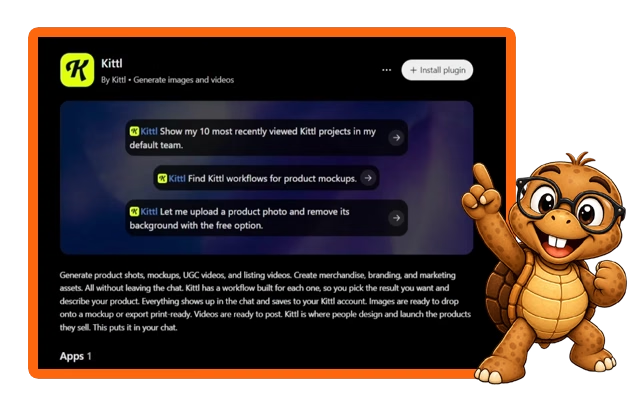
You can connect Kittl to ChatGPT through Kittl’s official MCP page. Kittl provides a direct connection, so you don’t need to mess around with developer settings or manually configure an MCP server.
Start by signing in to your Kittl account and opening the MCP page. Click Add to ChatGPT, which opens the Kittl connection page inside ChatGPT. From there, click Connect and follow the instructions to authorize the connection. ChatGPT will ask for permission to access your Kittl account. Review those permissions carefully because they include the ability to read and create designs, run AI generations, and spend your Kittl tokens. Once you approve the request and complete any necessary sign-in steps, you’re ready to test the connection.
I started with something simple. I asked ChatGPT, “How many tokens do I have in my Kittl account?” It retrieved my actual balance, which confirmed the connection worked. And just like that, I had ChatGPT talking to Kittl. Thankfully, the connection itself proved considerably easier than some of the things I tried afterward.
How Do You Connect Kittl to Claude?
You can connect Kittl to Claude through the same Kittl MCP page. I wanted to test this with a free Claude account because I figured plenty of people would want to try the integration without paying for another AI subscription.
After opening Kittl’s MCP page, select Add to Claude. Claude will open its custom connector setup and display the connection information. Review the details, click Add, and follow the prompts to connect your Kittl account. Claude may ask you to approve individual actions when you start using the connector. In my case, it requested permission to list my Kittl teams and retrieve my token balance. I selected Allow once for each request.
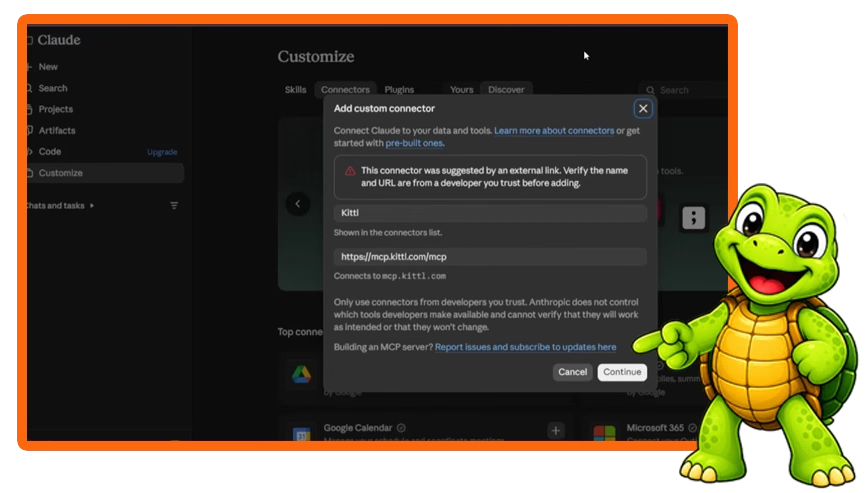
The result? Claude retrieved my correct balance of 6,227 tokens. That confirmed the connection worked with my free Claude account. And no, I haven’t abandoned ChatGPT for Claude. I was just conducting a little research… shhhh! Don’t tell Amber, my ChatGPT assistant, lol.
What Can You Do With the Kittl ChatGPT Integration?
The Kittl ChatGPT integration lets you access supported Kittl tools directly through your AI assistant. You can check token balances, retrieve information about existing projects, access Brand Kits, generate images, and use other available Kittl workflows. For example, you might ask ChatGPT to help create an image, generate assets for a product mockup, remove an image background, or find a project in your Kittl account. The available actions depend on what Kittl currently supports through its connector.
I specifically wanted to know whether ChatGPT could modify my existing Kittl designs. It explained that it could find projects and perform certain related actions, but it couldn’t directly reposition individual elements or change text inside an existing Kittl canvas. That’s an important distinction. Connecting Kittl doesn’t magically turn ChatGPT into someone sitting inside the Kittl editor clicking buttons for you. At least not yet. Give these AI companies another five minutes, and who knows what they’ll come up with next.
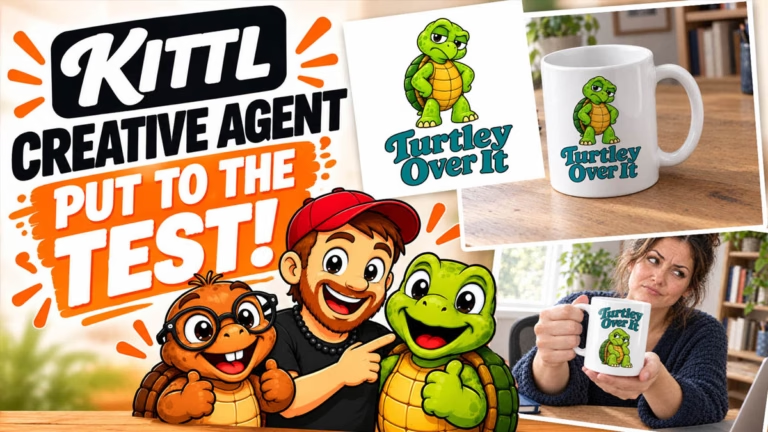
If you’re curious about what Kittl can do beyond its ChatGPT and Claude integrations, check out my Kittl Creative Agent review. I tested everything from product designs and mockups to promotional videos, including a few things that didn’t go quite as planned, lol.
Will ChatGPT Use Your Kittl Tokens When Creating Images?
Yes, ChatGPT may spend your Kittl tokens when you ask it to generate images through your connected Kittl account. The amount depends on the generation tool and model you use, so I recommend checking the cost before approving anything. This was one of the first things I wanted to test because ChatGPT already has its own image generator. Sometimes I want ChatGPT to make an image without spending any of my Kittl tokens, while other times I specifically want to use Kittl’s tools.
To help keep those two situations separate, I gave ChatGPT this instruction:
“Before creating anything, tell me whether you will generate the image with ChatGPT’s built-in image tool or by using my connected Kittl account. Also tell me whether this action will use any of my Kittl tokens. Do not create anything until I approve.“
ChatGPT agreed to explain which tool it planned to use and wait for my approval. Unfortunately, getting it to follow those instructions consistently turned into another adventure. When I finally asked it to create my newsletter graphic through Kittl, it initially claimed it couldn’t complete the request. After I questioned that response, it admitted the connection had the necessary permissions. Then it generated the image using ChatGPT’s own image tool anyway, lol.
I sped up that part of the video and narrated over it because nobody needed to sit through ten minutes of me arguing with a chatbot. Eventually, ChatGPT figured out what I wanted and sent the generation request to Kittl. The lesson here is simple: tell ChatGPT which tool you want it to use, confirm the token cost, and verify the result. A connected account doesn’t guarantee the assistant will choose the correct tool every time.
Can ChatGPT Access Your Existing Kittl Brand Kit?
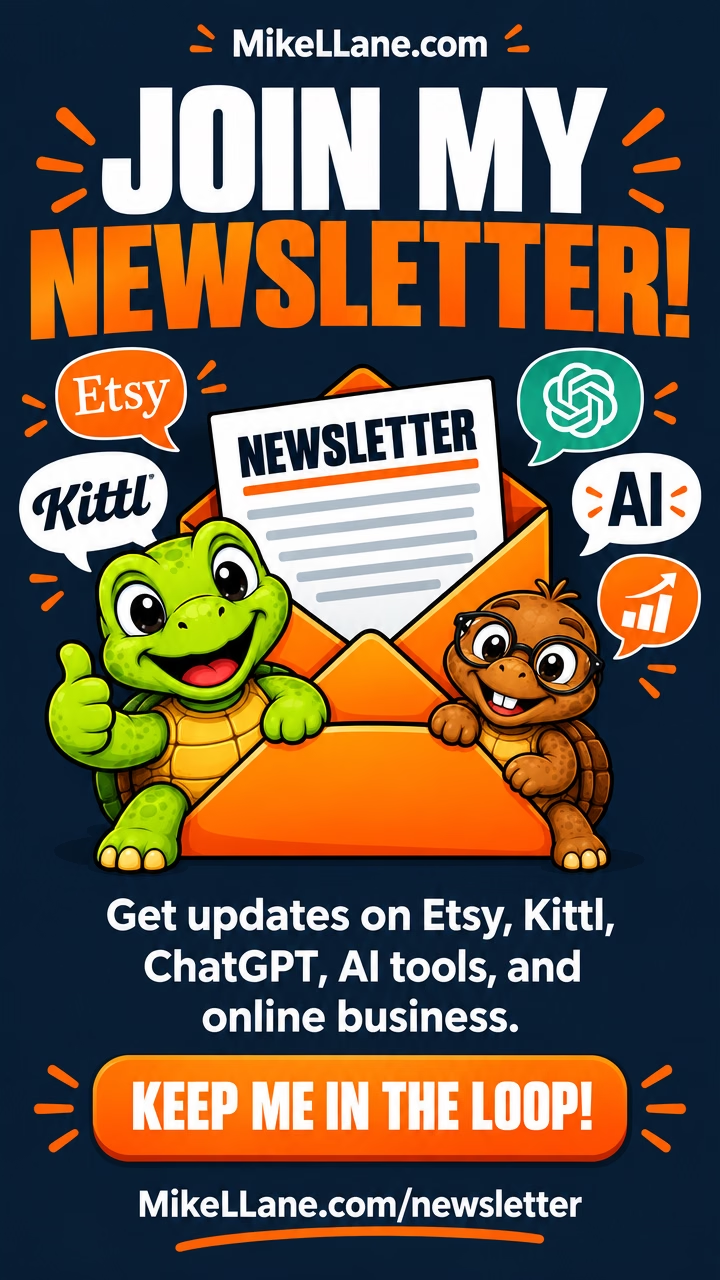
Yes, ChatGPT successfully accessed my saved Kittl Brand Kit during testing. It retrieved my brand colors and recognized the mascot reference images I’d previously uploaded, which made me particularly interested in testing an actual design. I asked ChatGPT to create a vertical 1080 × 1920 social media graphic promoting the newsletter on MikeLLane.com. I wanted it to use my existing Kittl branding, include information about the newsletter, and display my call to action, “Keep Me in the Loop!”
Once ChatGPT finally used the correct generator, Kittl produced a graphic that genuinely impressed me. It followed my branding and did a surprisingly good job representing my two turtle mascots, Sheldon and Tater Tot.
The best part? I didn’t need to upload their reference images again. Kittl pulled that information from the Brand Kit I’d already created. That’s exactly why I think setting up your Kittl Brand Kit is worth the effort, particularly if you regularly create content for the same business or brand. I’ll have a Kittl Brand Kit article and video up soon!
Can You Edit AI Images That ChatGPT Creates Through Kittl?
Yes, you can continue working with AI-generated images in Kittl, but that doesn’t necessarily mean every element will have its own editable layer. During my test, ChatGPT explained this limitation before generating the graphic. The finished newsletter image was an AI-generated design rather than a fully layered project. I couldn’t simply select the headline as an independent text box and change it directly through ChatGPT.
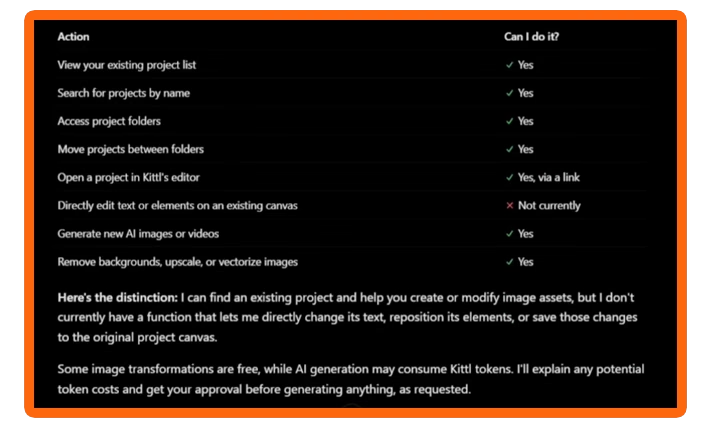
However, I could open the finished image in Kittl and use its available tools to continue working with it. Depending on the result and the tools you choose, that might include editing the image, removing backgrounds, or preparing assets for another project. For my test, the final graphic looked good enough that I didn’t need to make significant changes. And considering what ChatGPT had put me through to get there, I wasn’t about to tempt fate.
How Do You Find Your AI-Generated Images in Kittl?
Once you connect Kittl to ChatGPT and create assets, you can find images created through the Kittl integration in your Kittl workspace. During my test, the finished newsletter graphic appeared among my recent projects and in the AI Creations area. After generating the image, I returned to Kittl and checked my token balance. It had dropped from 6,227 to 6,207 tokens, confirming that the image cost exactly 20 Kittl tokens.
I also opened the image inside Kittl to demonstrate where viewers could find their own creations. From there, you can download or export the image, open it in the editor, and explore additional editing options. I like that workflow because it means I can use ChatGPT to help generate something while still keeping the finished result in my regular Kittl workspace as a backup image if needed.
FAQs About How to Connect Kittl to ChatGPT & Claude
Is It Free to Connect Kittl to ChatGPT?
Yes, connecting Kittl to ChatGPT doesn’t require a separate connection fee. However, generating images, videos, or other AI content through Kittl may consume tokens from your Kittl account.
Can You Connect Kittl to a Free Claude Account?
Yes, I successfully connected Kittl to my free Claude account and retrieved my token balance. Claude’s free plan supports a limited number of custom connectors and other usage restrictions, so check your account’s current capabilities.
Can You Connect Kittl to a Free ChatGPT Account?
Kittl offers a ChatGPT connection, but I personally tested it using my paid ChatGPT account. I haven’t independently tested the complete setup on ChatGPT’s free plan, so I can’t guarantee that every feature will work the same way.
What Is Kittl MCP?
MCP stands for Model Context Protocol, a technology that allows compatible AI assistants to communicate with external tools and services. Kittl uses MCP to make supported design features available through ChatGPT and Claude. You can learn more about MCPs here.
Does Kittl Give You Free Tokens for Connecting an AI Assistant?
At the time of my November 2026 recording, Kittl offered eligible paid-plan users 1,500 bonus tokens for connecting ChatGPT or Claude. Kittl advertised those tokens as enough for up to 300 images with certain generation settings, and the bonus tokens expired seven days after connecting. That promotion comes directly from Kittl, not from any affiliate or referral link. Check Kittl’s current terms because the offer may change or disappear at any time.
Can ChatGPT Create Fully Editable Kittl Designs?
Not necessarily. My test produced an AI-generated image rather than a project with independently editable text and graphics. You can continue working with the result in Kittl, but don’t assume every generated design will have separate editable layers, at least at this time. Kittl is always updating, so things may change after this test from November 2026.
Is the Kittl ChatGPT Integration Worth Using?
I think the Kittl ChatGPT integration has plenty of potential, especially if you already use both tools regularly. Being able to retrieve my token balance, access saved Brand Kit information, and generate an image using my existing mascot references makes this more than just another shiny AI feature. That doesn’t mean everything worked perfectly. ChatGPT repeatedly tried to use the wrong image generator, and I had to be specific about what I wanted before it finally cooperated. But once I got it pointed in the right direction, the finished result looked great. I verified the token charge, found the image in my Kittl account, and confirmed that the integration could handle the task I’d given it.
I’ll continue experimenting with the connection because I suspect there are some interesting ways to use it for product creation, social media content, and other online business tasks. And when I find something worth sharing, you know I’ll make another tutorial about it. The turtles make me do it!
Want to Try Kittl Yourself?
I use Kittl regularly to create graphics, videos, product designs, and other content for my online businesses. It’s become an important part of my workflow, and I’m always interested in testing new features that might make creating content a little easier.
Affiliate disclosure: If you sign up for Kittl through my link, I may earn a commission at no extra cost to you.
If you already have a Kittl account, there’s no reason to sign up again just to use the integration. You can visit Kittl’s official MCP page and connect your existing account directly.
And if you’d like more tutorials, Etsy updates, and information about ChatGPT, Kittl, and other AI tools, join my free newsletter. I’ll keep you updated on the things I think are actually worth your time.