
Want to animate images with ChatGPT instead of letting your favorite pictures sit around collecting digital dust? With the new ChatGPT Images 2.6 update, you can experiment with turning existing photos, cartoon characters, and product mockups into animated GIFs without writing a single line of code.
On November 4, 2026, OpenAI announced Images 2.6, including new GIF animation capabilities. Naturally, when I noticed the new feature in ChatGPT the following morning, I had to see what kind of trouble I could get into. And believe me, I found some. LMAO!
Can You Animate Images with ChatGPT?
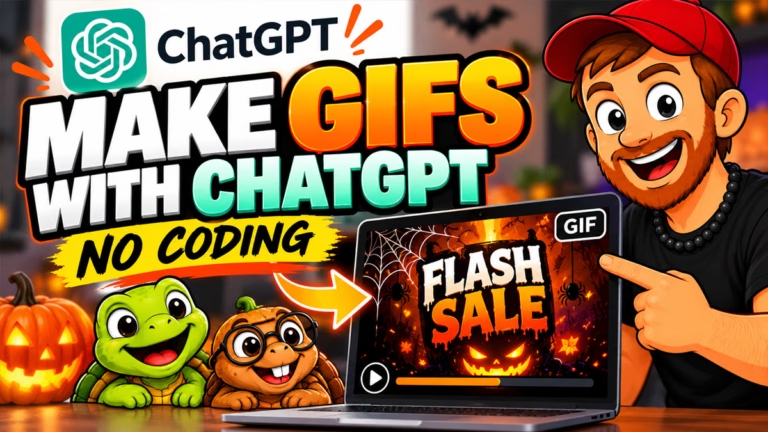
Yes! ChatGPT’s new GIF creation feature lets you upload a still image, describe how you want it to move, and ask ChatGPT to create an animation. You can animate characters, create reaction GIFs, and experiment with images you already own. I previously published a tutorial showing how to make animated GIFs with ChatGPT without coding. This time, I wanted to take things further by experimenting with actual pictures, character designs, and product mockups.
I recorded the entire experiment without planning everything beforehand. That means you’re getting the successes, the mistakes, and a few moments when ChatGPT apparently had its own ideas.
How Do You Turn a Photo Into an Animated GIF with ChatGPT?
Start by opening ChatGPT, uploading your image, and telling it what you want to happen. Describe the movements, expressions, or actions you want to see, and specifically ask for an animated GIF. For example, I uploaded an existing newsletter graphic featuring my turtle mascots, Sheldon and Tater Tot. I asked ChatGPT to make the turtles disappear from the opening scene, then pop up from behind an envelope with Tater waving and Sheldon giving a thumbs-up.
It actually did a pretty good job! Both characters popped up as requested, although I noticed some shifting colors and minor changes in Tater’s face. Apparently, even cartoon turtles can’t escape the occasional AI identity crisis. All in all, though, I was pleased with the outcome.
Can You Use MP4s to Create Animated GIFs on ChatGPT?
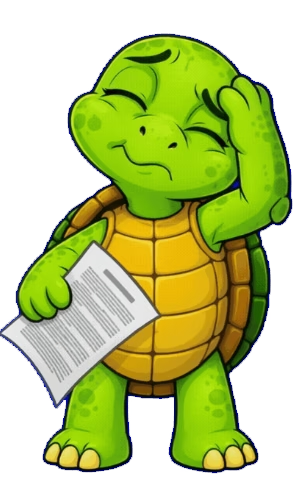
Yes! And I found this out entirely by accident, lol. My very first try, I thought I was giving ChatGPT a PNG, but instead gave it an MP4 video of Sheldon rubbing his head as he dealt with a headache. In the prompt, I went super simple and asked it to create me a GIF of this. Instead, it gave me 3 versions of Sheldon from The Big Bang Theory, rubbing his head, lol. It caught itself and realized the mistake it had made, then gave me a downloadable version of my Sheldon doing exactly what I asked. This was a great find! That means if you have a short video, it can take that video and repurpose it as an animated GIF. Now I wouldn’t download a full-length movie or anything, lol, but short clips it seemed to handle fine (minus the initial Sheldon mix-up).
Can ChatGPT Animate Old Family Photos?
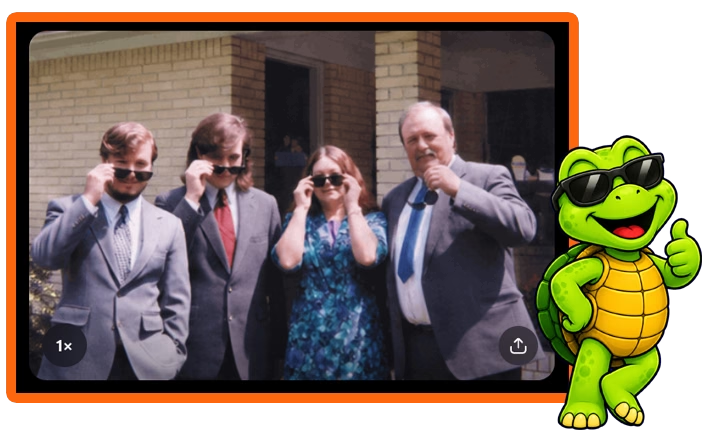
Yes! You can experiment with animating old family pictures, but you need to be specific about the result you want. I learned that lesson when I uploaded an old family picture featuring my mom, dad, brother, and me. I simply asked ChatGPT to have everyone put on sunglasses and act cool. It gave us the sunglasses, all right, but instead of an animated GIF, I got another still image.
That wasn’t exactly what I intended, but it was pretty funny. The trick was, I didn’t specify that it needed to be a GIF. Specific prompts make all the difference! Next time, I explicitly requested a GIF and described how everyone should move through the animation. It turned out great and was a very simple, straightforward prompt I used to achieve it. Easy-peasy!
Can You Animate Images with ChatGPT to Promote Products?
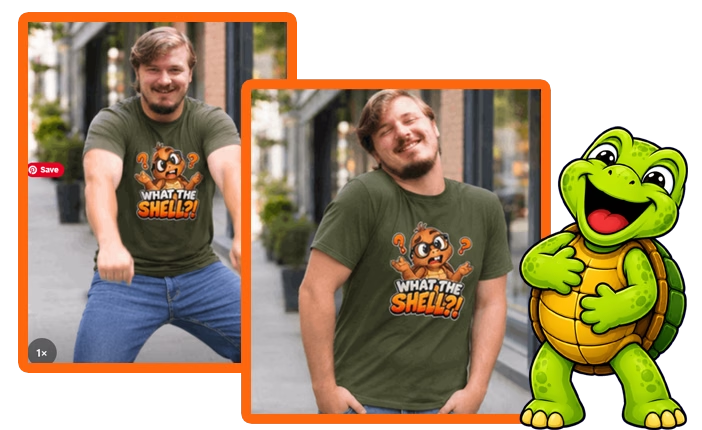
Absolutely! One of the more interesting possibilities involves using animated images to draw attention to products without making every social media post feel like a sales pitch. I tested this with a mockup featuring a woman wearing my Tater Tot “What the Shell?!” T-shirt. I asked ChatGPT to make the model imitate Tater’s confused shrug while keeping the design on the shirt unchanged. The idea worked surprisingly well. Instead of another ordinary product picture, I had a funny reaction GIF that could potentially fit into a conversation or social media comment. And that’s the point. Sometimes you can get more attention by making people laugh than by telling them to buy something.
Can You Create an AI Product Model From Your Own Photo?
Yes. You can ask ChatGPT to combine images into a new scene before experimenting with animation. I uploaded an old picture of myself and the T-shirt mockup, then asked ChatGPT to put me in jeans and that same shirt the woman in the mockup was wearing on a city street. It created a pretty convincing image of my younger self wearing the shirt. Which was interesting enough, but apparently I hadn’t embarrassed myself sufficiently yet.
I then asked ChatGPT about trending TikTok dances, and told it to animate my new image performing a couple of them. Good Lord, have mercy, lol. One version, the Dame Hombro dance, looked like something was crawling down my back, while the Pick It Up dance had me bouncing around like I had completely lost my mind. But the shirt remained recognizable, and the animations certainly grabbed attention! That’s where I see some potential for Etsy sellers, print-on-demand creators, and other small business owners who want to experiment with different ways to showcase their products.
What Problems Did I Notice When Animating Images with ChatGPT?
Other than some really bad dance moves I can’t unsee now, lol, not a lot. ChatGPT’s new GIF feature has some interesting possibilities, but it doesn’t deliver perfect results every time. During my experiments, I noticed some small shifting colors, inconsistent character details, and animations that didn’t always follow my instructions. Fast movements also created problems. Some of the dancing animations bounced around so much that they became distracting, although you could potentially trim or adjust portions of the results in a video editor.
My biggest takeaway? Be specific about what you want to move and what should remain unchanged. Don’t assume ChatGPT understands every detail, and don’t expect every GIF to look exactly like your original image. For more information about the feature and its availability, check OpenAI’s official guide to Images in ChatGPT.
FAQs About ChatGPT Image Animation
Can ChatGPT turn a still image into a GIF?
Yes. ChatGPT Images 2.6 introduces the ability to create animated GIFs from prompts and existing images. Upload a picture, describe the movement you want, and specifically request a GIF. The feature is rolling out, so availability may vary while OpenAI completes the rollout.
Do I need coding skills to animate images with ChatGPT?
No! You can animate images with ChatGPT using simple, written instructions. You don’t need Python, animation software, or programming experience to try the built-in GIF feature.
Can I animate product mockups for Etsy or social media?
Yes, you can experiment with making models move, creating funny reactions, and bringing product images to life. Just remember to check the finished animation carefully, especially if the product contains text, artwork, or other details that need to remain accurate.
Is ChatGPT’s GIF animation feature free?
OpenAI says Images 2.6 is available across ChatGPT subscription tiers, although GIF creation is rolling out. Availability and usage limits may differ depending on your account. If you’re curious about how ChatGPT’s paid limits work, I’ve also covered the ChatGPT Plus usage limits for 2026.
Can I use these animated GIFs for marketing?
Animated GIFs can give you another way to create entertaining social media content, reactions, and product promotions. You should still make sure you have permission to use the original images and that your finished animation accurately represents anything you’re selling.
My Takeaway: Is Animating Images with ChatGPT Worth Trying?
I think so, especially if you already create content for social media or run an online business. You can easily animate images with ChatGPT and experiment with making them more entertaining, engaging, or useful without learning complicated animation software. These can make great ways to comment in community or social posts and advertise without advertising. Not every experiment will work, and you might end up looking like an idiot dancing around in a What the Shell shirt. Ask me how I know. LMAO! But that’s part of experimenting with AI. Sometimes the failures teach you just as much as the successes, and occasionally you discover something you can actually use in your business.
Want more ChatGPT tutorials, AI tool updates, Etsy news, and online business tips? Join my free MikeLLane.com newsletter, and I’ll keep you in the loop as I discover new features, test them, and share what actually works. No hype required. Just the occasional dancing turtle and whatever other nonsense I get myself into next.