
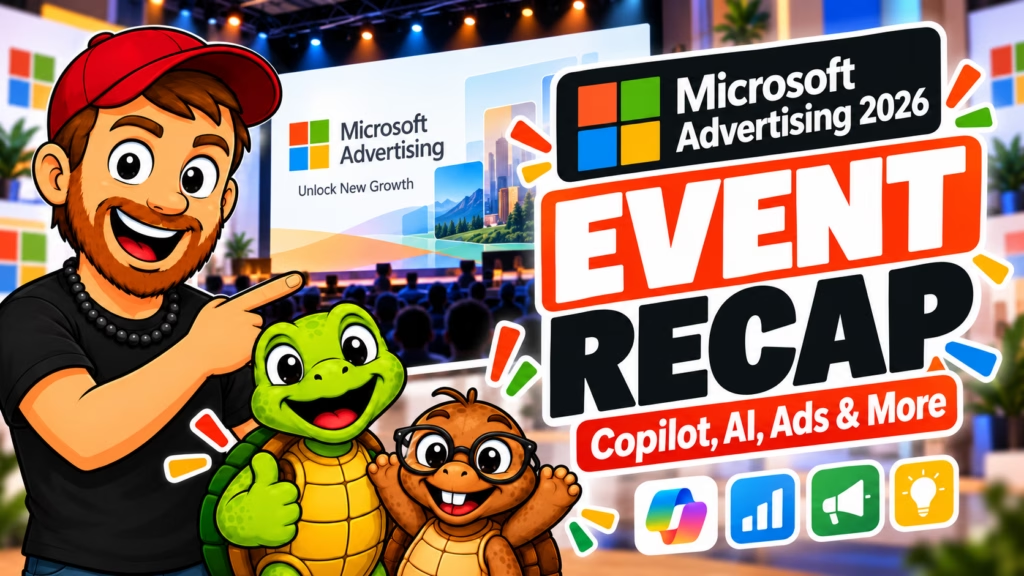
Microsoft held its Unlock New Growth with Microsoft Advertising event this week, and the basic pitch was pretty easy to understand. Microsoft Advertising 2026 isn’t just “those Bing ads.” I’ll admit, that’s exactly what I was thinking going in, lol. Microsoft spent about 40 minutes walking through its advertising ecosystem, audience reach, Copilot, AI-powered advertising tools, Performance Max, and how businesses can get started without rebuilding everything from scratch.
Naturally, there were also enough giant numbers on slides to make your eyes glaze over, lol. So rather than repeat every statistic Microsoft threw at us, I want to break down the parts of the Microsoft Advertising 2026 presentation that may actually matter if you’re running a small business, ecommerce shop, or selling products online. Hopefully this recap will save you time, but still keep you informed.
Microsoft Wants You to Stop Thinking “It’s Just Bing”
Microsoft opened the presentation by addressing three “myths” it says it hears constantly from businesses. The first was that Microsoft Advertising is basically just Bing. I got the sense they didn’t care for that too much, lol. The second myth was that people think, “My customers probably aren’t there,” when it comes to Microsoft Advertising. And the final one was that businesses think adding another advertising platform sounds like too much work. Those three objections became the structure for most of the webinar, and each presenter looked to debunk these myths.
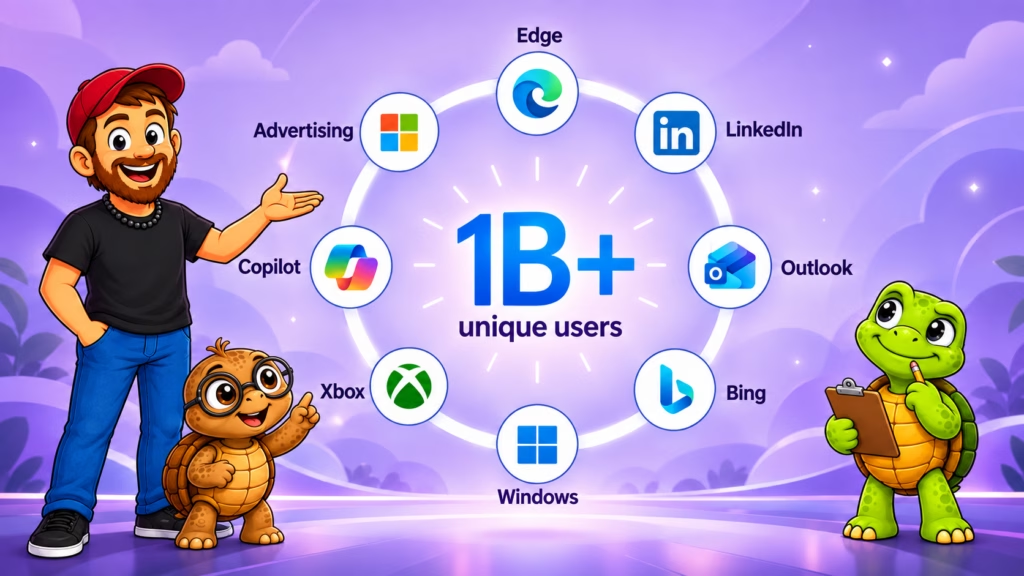
The first point is important because Microsoft clearly wants advertisers thinking about a much larger ecosystem. We’re talking about Bing, Windows, Edge, Outlook, MSN, Xbox, LinkedIn data and, increasingly, Copilot. Microsoft described Bing as essentially the front door into that ecosystem rather than the whole house. Search provides intent signals, and Microsoft says those signals can then help inform targeting, bidding, and creative across other parts of its advertising network.
That doesn’t mean one Bing search campaign suddenly puts your ad everywhere Microsoft owns. Someone asked that exact question during the Q&A, and I’ll come back to that distinction later on in this recap.
Think About the Person, Not Just the Search Engine
For a small business owner, the easier way to understand this is to forget about Microsoft for a second. Think about what you do during an average day. You might check email, search for something, read the news, shop during lunch, scroll through LinkedIn, research a product, and then go home and play a game or watch something. You didn’t suddenly become seven different people while you were doing all of that. Microsoft’s argument is that it has touchpoints throughout that day. That is considerably different from saying, “Hey, there are some people searching on Bing.”
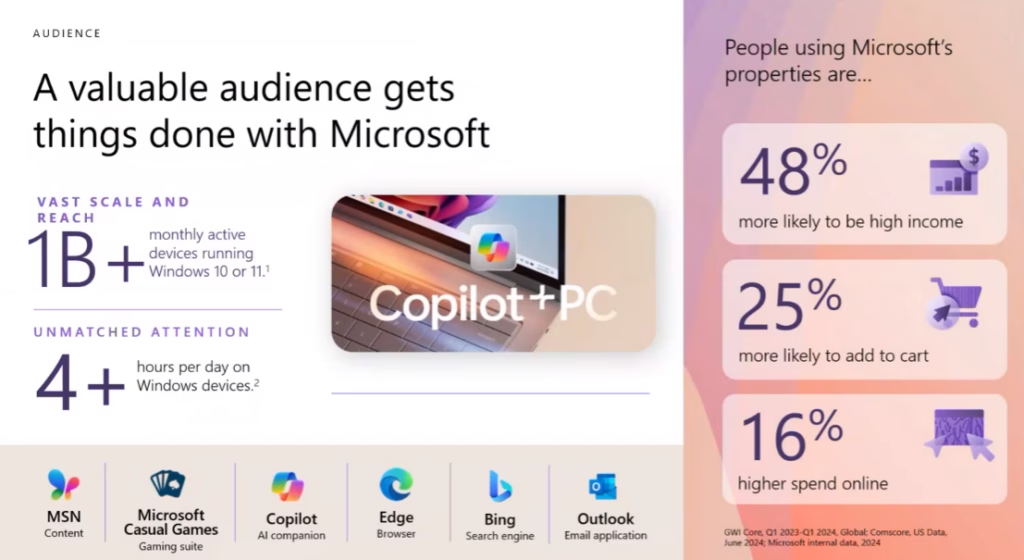
Microsoft Advertising 2026 said its ecosystem reaches more than one billion users and cited hundreds of millions of monthly users across Search, Outlook, MSN, and gaming, along with 1.2 billion LinkedIn members.
I wouldn’t get too hung up on memorizing all those numbers. The takeaway for a small seller is simply that Microsoft has a much bigger audience ecosystem than Bing.com alone would suggest.
With Microsoft Advertising, There Are Customers You May Not Reach Elsewhere
Microsoft spent a decent chunk of the event trying to establish that its audience isn’t simply a smaller duplicate of everybody using Google or social media. One slide said Microsoft Search reaches 208 million searchers worldwide who are not reached on Google, although Microsoft was careful to note that its search-share numbers in that section referred specifically to PC search, not total search across every device. There were also plenty of demographics showing that Microsoft’s audience tends to skew older and toward higher-income users.
Microsoft said its advertising users were:
- 48% more likely to be high income
- 25% more likely to add something to a cart
- spending 16% more online
- and 58% were over age 35
Those are Microsoft-reported audience statistics from the presentation, so I wouldn’t read them as a promise that every campaign you launch is suddenly going to attract somebody carrying a platinum credit card. But they do help explain the audience Microsoft believes it can offer advertisers.
Work Computers Apparently Do a Lot More Than Work
One of my favorite little sections of the webinar involved browser tabs. Microsoft said the average person has about 11.5 tabs open during the workday, with five of those being personal. Apparently there are enough tab hoarders out there to wreck the averages for everybody else. I feel seen, lol. Those personal tabs can include shopping, travel, banking, news, restaurants, and all the other things people supposedly aren’t doing while they’re working.
The point Microsoft was making is actually useful. The line between a “work user” and a “consumer” has become pretty blurry. If you think about it, that actually makes perfect sense. Somebody can be sitting at a Windows PC working on a spreadsheet at 1:00 and shopping for a birthday gift at 1:12 or checking their LinkedIn at 1:16. For advertisers, that creates more opportunities than simply waiting for somebody to deliberately visit a search engine and type in a product name.
Microsoft Advertising 2026 Says Copilot Starts the Journey
The presentation became much more interesting to me when Microsoft moved into Copilot advertising and how AI is changing search behavior. Microsoft’s position is not that AI is killing search. Instead, it says AI is increasingly becoming the beginning of the buying journey. A shopper might ask an AI assistant for ideas, narrow down options through conversation, compare several products, and then move into search when they’re closer to actually making a decision. Microsoft described search as the point where intent still frequently turns into action.
That lines up with where Microsoft has been taking its advertising products this year. Its recently released AI Max for Search expands matching beyond a traditional keyword list, can customize ad text and can choose landing pages based on what Microsoft believes best matches the searcher’s intent. AI Max became generally available in Microsoft Advertising in August 2026.
Yes, There Are Ads in Copilot
This may be one of the more interesting takeaways if you haven’t paid much attention to Microsoft Advertising lately. Ads are starting to show up in places where people are actively asking for help, comparing options, and figuring out what to buy. That’s a different experience than typing a keyword into a search box and scanning a page of results. If someone is already having a conversation about what they need, what they like, or which product fits them best, an ad that shows up in that moment has the potential to feel a lot more relevant than a random banner or generic search ad. That’s where Copilot comes in.
Copilot Includes Advertising
Microsoft says those ads are matched to the current conversation, clearly distinguished from organic responses, and accompanied by context explaining why the advertisement is relevant. The company also stressed during the webinar that advertising does not influence Copilot’s organic answer.
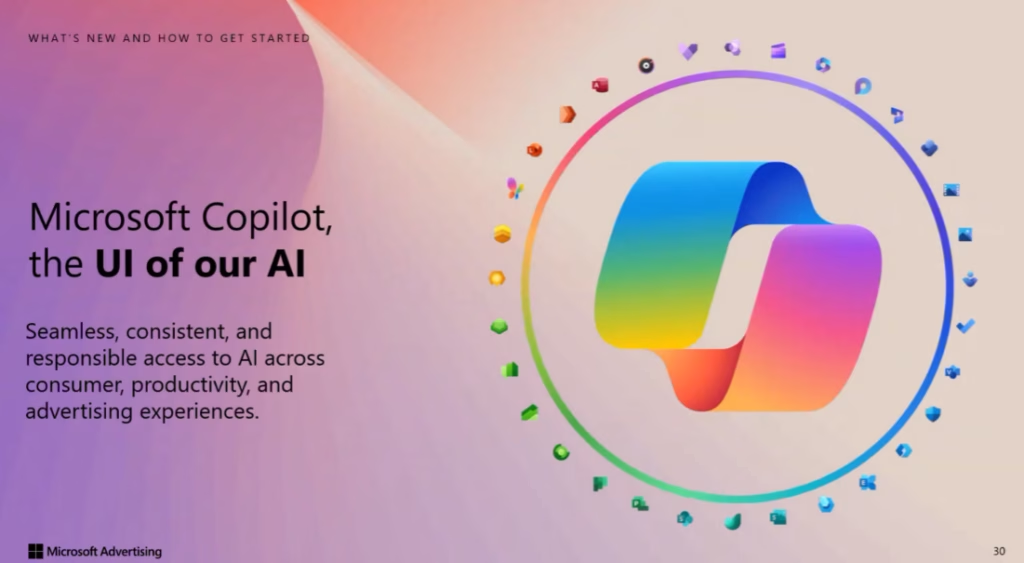
Microsoft also presented some pretty dramatic shopping numbers. It says journeys involving Copilot resulted in 53% more purchases within 30 minutes, and when a conversation showed shopping intent, those journeys were 194% more likely to result in a purchase. Those are Microsoft’s own measurements, not a guarantee that sticking an ad near Copilot will suddenly triple your Etsy sales by lunchtime. Still, it’s worth paying attention to. People are increasingly using AI to help them figure out what they should buy, not just where they can buy it.
Microsoft Advertising Isn’t The Only One
And Microsoft certainly isn’t the only company exploring that idea. OpenAI has also continued expanding advertising and sponsored business experiences around ChatGPT, which makes the broader direction pretty hard to ignore. I’ve already looked at that side of the equation in my ChatGPT Ads for Small Businesses article if you want to compare how these AI advertising systems are starting to develop.
Performance Max and AI Max Are Doing More of the Heavy Lifting
Microsoft also spent time on Performance Max and AI Max, which can get confusing because apparently we can never have too many things named Max, lol. But it is good to note that they are not the same thing. AI Max is smarter search matching, creative adaptation, and landing-page selection inside Search campaigns. Performance Max is a broader automated campaign delivery across Microsoft inventory.
What Is Microsoft Advertising Performance Max?
Performance Max is designed to help advertisers reach people across multiple Microsoft Advertising surfaces instead of relying on one campaign type or placement. Microsoft says Performance Max uses AI to help automate bidding, audience selection, creative delivery, and placement decisions based on the advertiser’s goal. During the webinar, Microsoft said advertisers running Search together with Performance Max were seeing a 3x higher return on ad spend and a 32% lower cost per acquisition compared with the search-only comparison group used in its presentation.
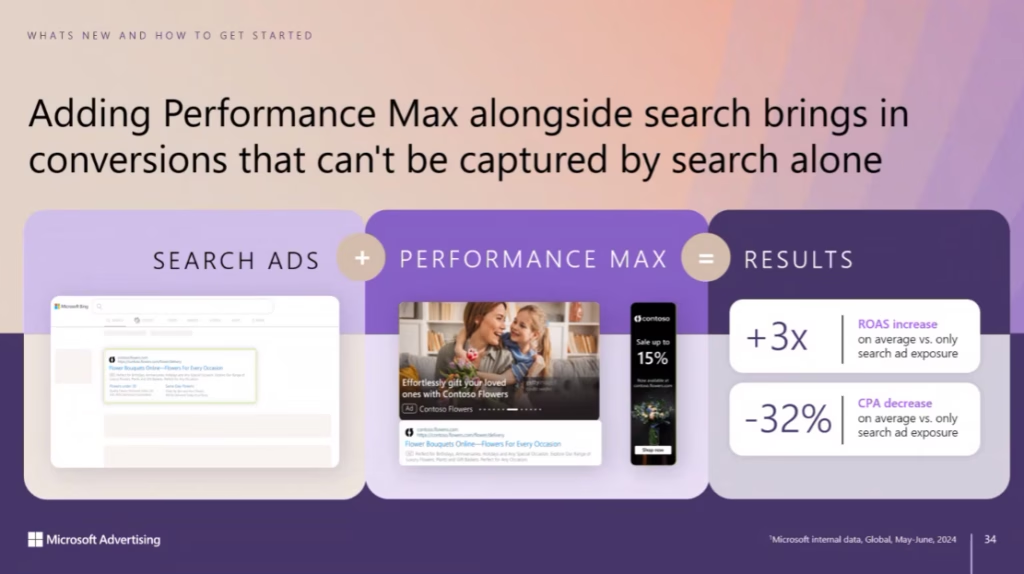
I’d still treat those as Microsoft-reported performance numbers, not a promise that adding Performance Max magically triples your money. The useful point is that Microsoft sees Performance Max as a way to capture conversions that Search alone may miss.
What Is Microsoft Advertising AI Max?
AI Max is different. Instead of expanding a campaign across more types of inventory, AI Max is focused on making Search campaigns more flexible and more automated. Microsoft’s current AI Max rollout includes broader search matching, automated creative customization, and dynamic landing-page selection. In plain English, Microsoft is using AI to make more decisions about which searches are relevant, which ad wording to show, and which page on your site best matches what the person is looking for. That’s a much bigger shift than simply adding more keywords to a campaign. Independent coverage from Search Engine Land highlighted those same core AI Max features when Microsoft rolled it out globally.
The Bigger Picture
Performance Max and AI Max are both part of the same larger direction. Microsoft wants AI doing more of the campaign-level decision-making. For a small business owner, that can make advertising easier to manage. It also means you’re handing more control to the platform. That isn’t automatically good or bad. It just means understanding what the automation is doing matters more than ever.
Import Meta & Google Ads Into Microsoft Advertising
This was probably the most practical section for anybody who already advertises somewhere else. Microsoft Advertising 2026 says you can import existing campaigns from Google or Meta instead of rebuilding the entire thing manually.
The basic process presented during the event was:
- Import an existing campaign or build one.
- Install Microsoft’s UET conversion tracking.
- Launch the campaign.
- Give it time to collect data.
- Use Copilot inside Microsoft Advertising to help analyze and optimize performance.
That matters because “Great, another platform I have to learn” may be the exact response a small-business owner has when somebody mentions Microsoft Advertising. You already have Etsy, your website, Pinterest, Facebook, Instagram, TikTok, email, and whatever other fresh hell somebody invents next Tuesday, lol. Adding an entire new advertising ecosystem isn’t exactly what most people were hoping to do with their afternoon. Microsoft is clearly trying to remove some of that friction. I also see this as an opportunity for more refinement for your ads on the whole. If Copilot and Microsoft Ads are finding you better ways to optimize, those same adjustments could be reverse-engineered for ads on other platforms.
But Don’t Just Import It and Walk Away
The Q&A had an important warning here. One of the biggest mistakes new advertisers make is failing to check the settings or confirm conversion tracking is working. That makes perfect sense. Importing a campaign saves time, but it doesn’t mean every setting magically becomes appropriate for a different platform.
Microsoft Advertising 2026 recommended allowing roughly two to four weeks before making an early performance judgment. Campaigns often continue to improve during the first three months as more conversion data becomes available. That kind of learning period is common across most ad platforms, especially when automated bidding is involved.
A Bing Search Campaign Does NOT Put You Everywhere
This came up during the Q&A, also, and I’m glad somebody asked because the presentation could easily leave a beginner with the wrong impression. Running a Microsoft Search campaign does not automatically mean your ad starts appearing across Xbox, Outlook, MSN, native ads, connected TV, and every other Microsoft property they showed us. Microsoft clarified that a Search campaign runs across Bing’s owned-and-operated search properties and, depending on your setup, its search partner network.
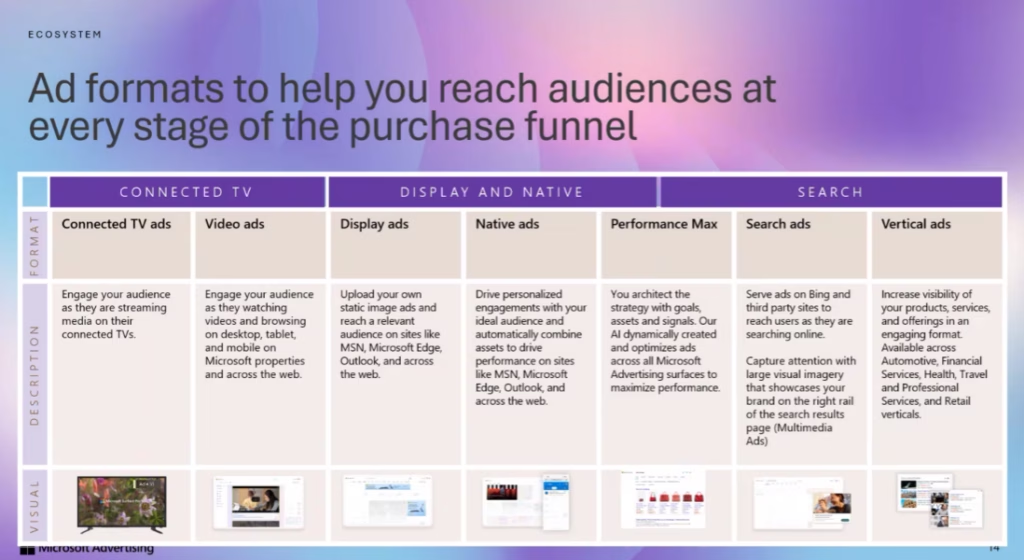
If you want display, native, connected TV, and other placements, those require the appropriate additional campaign types. That distinction is important. The Microsoft Advertising ecosystem may be huge, but your individual campaign does not automatically cover the whole thing.
LinkedIn Targeting Doesn’t Mean You’re Advertising on LinkedIn Either
Another useful clarification involved LinkedIn. Microsoft owns LinkedIn and can use certain LinkedIn profile information within Microsoft Advertising targeting. For example, advertisers can target based on things like company, industry, seniority, or job role. But those Microsoft Advertising ads don’t suddenly become LinkedIn ads. Microsoft explained during the Q&A that LinkedIn advertising itself remains separate. But they can use LinkedIn profile data to help target users on Bing, MSN, and other Microsoft Advertising properties. For businesses selling to professionals or other businesses, though, that combination of search intent + professional profile information could be interesting.
Microsoft Clarity Is A Tool Worth Watching
One question near the end of the event asked about being indexed or becoming more visible inside Copilot. The presenter pointed attendees toward Microsoft Clarity, which has evolved quite a bit beyond the heatmap/session-recording tool.
Clarity now includes AI Visibility features that can show where your content is being cited, the queries associated with those citations, and which AI bots are accessing your site. Microsoft says the data covers Microsoft experiences plus selected partner data. It can also separate branded queries from non-branded queries. This shows whether AI found your content because someone searched for your brand or your content matched a broader topic.
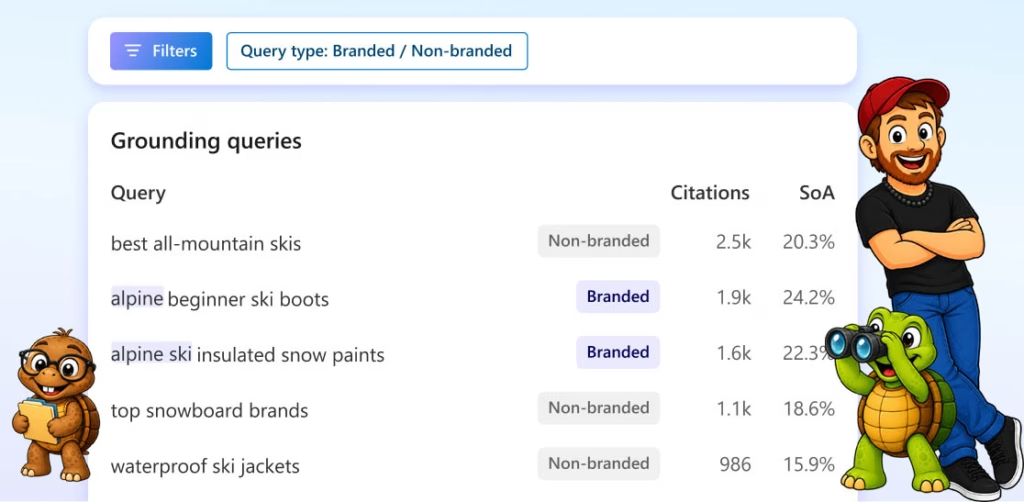
I may have to dig into that one separately because it starts moving beyond paid ads and into how businesses get discovered by AI in the first place. That may ultimately matter to more small businesses than buying a Microsoft ad tomorrow. I’ve already planned on covering some GEO tactics for ecommerce sites, so Clarity may end up becoming part of that research. More to come!
What Matters Most for Small Businesses
The Microsoft Advertising 2026 event only lasted about 45 minutes, but they packed a lot into it. The problem with these types of events is that they seem more geared towards companies, rather than small businesses. If I had to strip the whole event down to the parts most useful for a small business owner, it would be these four-
Microsoft Advertising is much bigger than Bing Search. Microsoft is trying to get advertisers to think about its broader ecosystem, including search, Windows, Edge, Outlook, MSN, gaming and Copilot.
AI advertising is moving into the conversation itself. Ads in Copilot can appear when they match what someone is actively researching or discussing, which means product discovery is starting to happen in more places than a traditional search results page.
You don’t necessarily have to start from scratch. Microsoft lets advertisers import existing campaigns from Google or Meta, although the presenters specifically warned people to double-check settings and conversion tracking after the import.
AI Max and Performance Max are putting more decisions into automation. Microsoft is increasingly using AI to help determine matching, creative, targeting, bidding, and landing-page choices.
The bigger shift, though, is the customer journey itself, which is happening all over the Internet, not just with Microsoft. The old version looked something like this:
Old Search Journey For Customers
Search → click → website → purchase
Current Search Journey For Customers
Ask an AI → compare recommendations → search → social proof→ read reviews → ask another question → see an ad → visit a website → buy
That path is getting a lot less tidy. For small businesses, the important part isn’t trying to chase every single new feature. It’s understanding where people are discovering products and how those habits are changing.
Frequently Asked Questions
Does Microsoft Copilot Have Ads?
Yes. Microsoft showed advertising inside Copilot during the event. The company says those ads are matched to the context of the current conversation, clearly identified as sponsored, and kept separate from Copilot’s organic responses.
Is Microsoft Advertising In 2026 Just Bing Ads?
No. Bing Search is one part of Microsoft Advertising, but Microsoft also offers advertising across other parts of its network, including display, native, connected TV and Performance Max campaigns. During the event, Microsoft repeatedly described Bing as the entry point into a much broader advertising ecosystem.
Can I Import Google Ads Into Microsoft Advertising?
Yes. Microsoft said existing Google Ads campaigns can be imported into Microsoft Advertising rather than rebuilt from scratch. The presenters also recommended checking campaign settings and conversion tracking carefully after importing.
Does Microsoft Advertising Put My Ads on LinkedIn?
Not automatically. Microsoft owns LinkedIn, but LinkedIn advertising is managed separately. What Microsoft Advertising can do is use certain LinkedIn profile data such as company, industry, seniority, or job role to help target people on Microsoft Advertising properties like Bing and MSN. So you can use LinkedIn profile targeting inside Microsoft Advertising, but that does not mean your Microsoft Ads campaign is running directly on LinkedIn.
What Is a UET Tag in Microsoft Advertising?
UET stands for Universal Event Tracking. Microsoft described it as the conversion-tracking tag you add to your website, so Microsoft Advertising can tell when an ad leads to an action such as a purchase or other conversion. They recommended adding it across the site, especially on checkout-related pages, because Microsoft’s automated bidding strategies rely on conversion data to learn and optimize.
How Long Should I Give a Microsoft Ads Campaign Before Judging It?
Microsoft recommended giving a new campaign roughly two to four weeks before making an early performance judgment. They also said campaigns can continue improving over the first three months as more conversion history builds up.
My Takeaways From Microsoft Advertising 2026

I went into Unlock New Growth with Microsoft Advertising 2026 not really knowing whether there would be enough here to matter to my normal audience. There was. Not because I think every Etsy seller or one-person business should immediately start running Microsoft Ads, but because the presentation showed how quickly product discovery is changing.
The part I’d pay attention to isn’t just Bing, Copilot ads, or Performance Max by themselves. It’s the fact that the buying journey is getting less linear. People are asking AI questions, comparing products, searching, reading reviews, and bouncing between platforms before they buy. For small businesses, I don’t think the answer is to chase every new advertising feature. You’ll go broke and lose your mind.
The better move is to understand where discovery is happening and decide which pieces actually make sense for your business. At the end of the day, it’s all about knowing your customer. This is a point you’ll hear me say over and over again, lol. And after watching this event, Microsoft gave me a few more reasons to keep an eye on what they’re building.